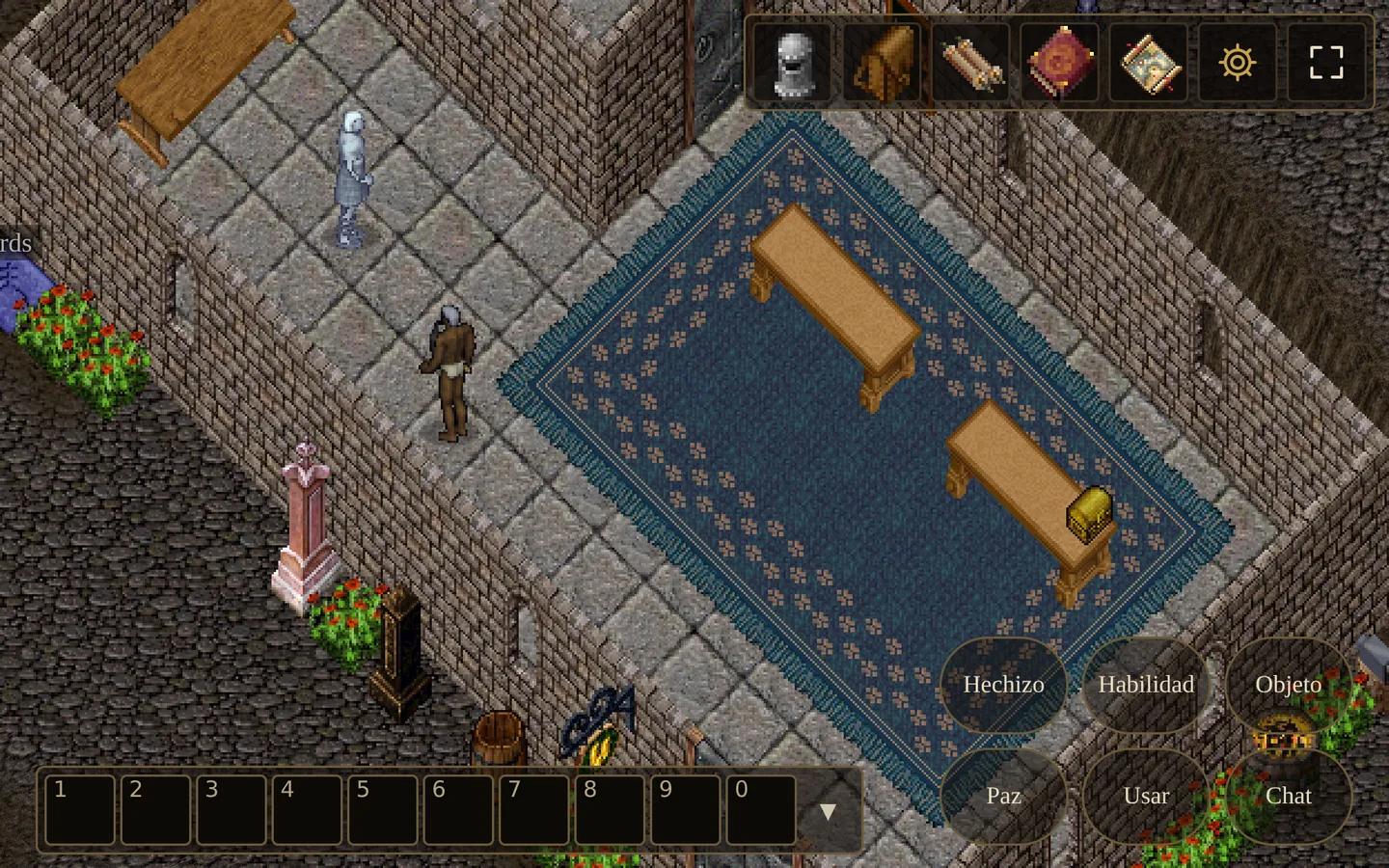
The 2003 client was a Windows program. We wrote a new one that runs in the browser and draws the world with the original art; the server tells it what happens through a bridge of our own. This is how Coliseo has been played since it opened.
Today's controls
- W A S D to walk (with Shift, slowly). The right button stays free for action: the spell or skill armed on the bar goes to whatever you point at.
- Click the ground and your character finds the way, as in the original.
- E uses what is next to you: a door, remains, a chest. Q, R and F repeat the last spell, skill or item on the last target.
- Full screen, and zoom with the wheel.
Windows that help
- A new character sheet, with a slot for every piece of equipment.
- A description of every item when you hover over it.
- "Take all" on remains and chests; piles merge by themselves, and you can choose how much to take from one.
- Right-click something you can wear, and you put it on.
- Windows never leave the screen, and a door is passed with only one of its leaves open.
- If you get stuck, the game's help takes you to the Hall of Portals.
On the phone
Held upright, the game is played with taps: tap to walk or choose, double-tap to use, hold your finger for the action. Held sideways, an on-screen pad appears with the game's buttons, and you zoom with two fingers. One button puts the game in full screen.